Cricket Auction Registration Form: Field-by-Field Guide

By Yug Shah
|
Oct 12, 2026
|
|

The stream is already live.
A player walks onto the auction screen. His photograph looks fine. His name appears underneath.
Then the commentator asks a simple question.
“Is he a left-arm spinner or a right-arm spinner?”
Nobody knows.
Someone opens the registration spreadsheet.
Another person starts scrolling through WhatsApp.
The graphic stays on screen.
This is where a cricket auction registration form becomes more than an admin document. The information collected before the event can later feed player profiles, auction screens, team records, scoring, and broadcast graphics.
For broadcasters, the goal is simple: collect each piece of player information once, verify it, and decide whether it belongs on screen or should remain private.
Quick Summary: Key Takeaways
- Collect a full official name and a separate broadcast display name when needed.
- Treat the player photograph as a broadcast asset, not an optional attachment.
- Keep playing role, batting style, bowling style, and wicketkeeping status in separate fields.
- Do not place phone numbers, email addresses, birth dates, or other private administration details on public graphics.
- Add clear permission for photographs, player profiles, and event broadcast use where your tournament requires it.
- Keep overlays selective. More information on screen does not automatically make a sports broadcast easier to follow.
- Test how registration records appear in the auction screen and stream before registration closes.
The 12th Men currently lets organizers customize player registration fields such as playing role, batting style, jersey size, and age, and choose which fields are visible during an auction.
Why Should Broadcasters Care About the Registration Form?
Because broadcast graphics can only be as useful as the information available to them.
Suppose 120 players enter a franchise-style league.
The registration team collects:
“R. Sharma”
The broadcast team wants:
“Rohan Sharma Right-hand batter Wicketkeeper Base Price: 5,000”
The auctioneer wants the approved category.
The scorer needs the correct player record after the auction.
The graphic operator needs a photograph.
Same person.
Different requirements.
The mistake is creating four separate versions of that player after registration.
The 12th Men’s current workflow allows registration information to move into the auction process, while its cricket platform connects auctions, scoring, and event management.
That makes the registration form the natural place to start building the player record.
Which Fields Should a Cricket Auction Registration Form Include?
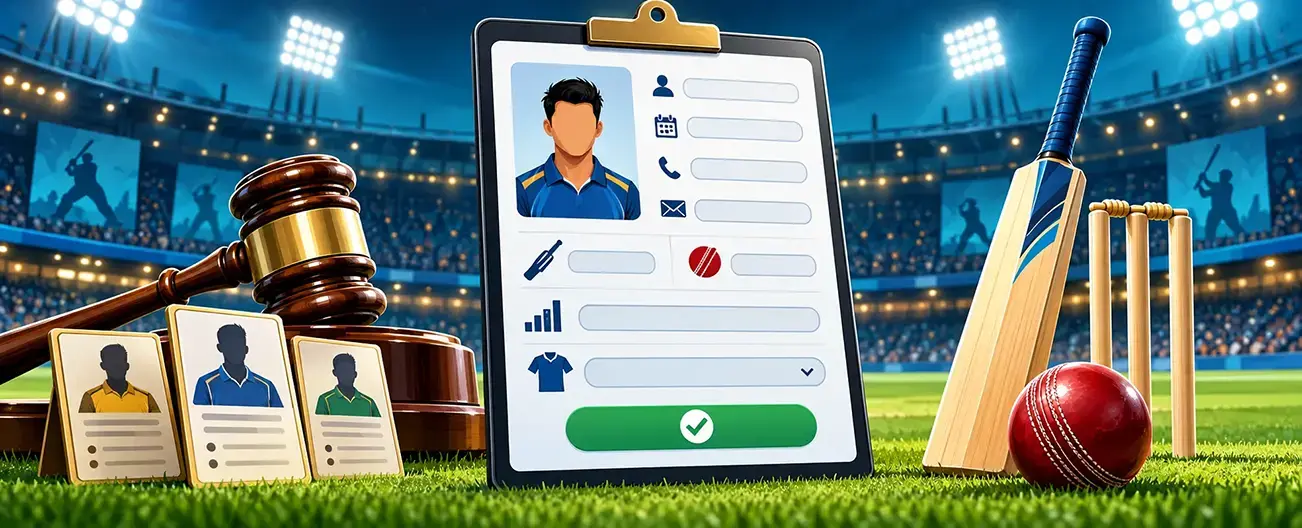
Here is a practical starting structure for an auction that will also be streamed.
| Field | Why collect it? | Show publicly? |
|---|---|---|
| Full legal or registered name | Identity and administration | Usually no |
| Broadcast/display name | Auction cards and graphics | Yes |
| Profile photograph | Player card and stream graphic | Yes, with permission |
| Mobile number | Registration and verification | No |
| Email address | Organizer communication | No |
| Age or age category | Eligibility where relevant | Only when useful |
| Playing role | Auction evaluation | Yes |
| Batting style | Player profile | Often |
| Bowling style | Player profile | Often |
| Wicketkeeping status | Squad planning | Often |
| Player category | Auction rules and bidding | Yes where applicable |
| Base price | Auction opening value | Yes |
| Jersey number | Team and broadcast identification | After assignment |
| Short player bio | Optional broadcast context | Selectively |
| Media consent | Records permission for planned media use | No |
Not every tournament needs every field.
That matters.
The goal is not to make the form longer. It is to stop asking for information that nobody uses while missing the one field the production team needs five minutes before going live.
Field 1: Full Player Name
Collect the player’s complete name for the administrative record.
Avoid relying only on initials.
“R. Patel” becomes difficult when two Rahul Patels and one Rohan Patel enter the same league.
The full name should become the player’s stable identity across registration, auction, team assignment, and scoring.
For public graphics, you may want something shorter.
That leads to the next field.
Field 2: Broadcast or Display Name
Ask:
“How should your name appear on auction and match graphics?”
A player registered as “Abhishek Rajesh Kumar” may prefer “Abhishek Kumar.”
Do not make the graphics operator decide this during the broadcast.
Set sensible character limits too. A name that fits comfortably on the registration screen can still break a narrow lower-third graphic.
Our preference would be to retain the full registered name in the database and use the shorter approved display version only for public presentation.
Field 3: Player Photograph
This one often gets treated casually.
It should not.
The photograph may appear on:
- Auction player cards
- Sold-player graphics
- Team announcements
- Match lineups
- Player statistics cards
- Streaming overlays
Ask for a recent, front-facing image with simple instructions about framing and background.
Then test the crop.
A photograph that looks good as a portrait may look terrible inside a square player card.
For tournaments that plan to publish player images, include the appropriate media permission in the registration process rather than assuming an uploaded photograph automatically means unlimited public use.
Field 4: Playing Role
Do not make one dropdown carry too much meaning.
Useful options may include:
- Batter
- Bowler
- All-rounder
- Wicketkeeper-batter
Then collect more detailed cricket skills separately.
Why?
Because “all-rounder” does not tell a commentator whether someone bowls left-arm spin or right-arm medium pace.
If your league uses player categories during bidding, keep those categories in another field too. Role and auction grade answer different questions.
The current The 12th Men registration workflow supports custom playing-role fields, while its auction workflow can use player categories.
Field 5: Batting Style

Keep this structured.
Typical entries might be:
Right-hand batter Left-hand batter
Do not use a free-text field if two controlled options answer the question.
Why?
You otherwise end up with:
“Righty”
“RHB”
“Right handed”
“Right Hand”
Those may all describe the same thing, but now somebody must standardize them before creating graphics.
Structured data becomes much easier to reuse.
Field 6: Bowling Style
This needs more detail than simply “bowler.”
Depending on your competition, options could distinguish pace and spin, along with bowling arm.
For example:
Right-arm fast Right-arm medium Left-arm pace Right-arm off-spin Right-arm leg-spin Left-arm orthodox spin
Use terminology that matches the level and rules of your league.
The point is consistency.
A broadcast graphic should not call someone a leg-spinner while the auction screen says “spin bowler” and the commentator’s sheet says “right arm bowler.”
Field 7: Wicketkeeping Status
Use a dedicated yes/no field when wicketkeeping matters to team construction.
Do not assume “wicketkeeper-batter” in the role field will always be enough.
A player may primarily register as a batter but still be available as a backup keeper.
That distinction can matter during an auction.
For broadcast purposes, it can also help explain squad balance without asking the production team to reconstruct player skills from memory.
Field 8: Age or Competition Category
Collect date of birth only when the tournament genuinely needs it for eligibility or administration.
For the public view, an age band may be enough.
There is evidence for taking registration completeness seriously.
Researchers Rochelle Eime, Jack Harvey, Melanie Charity, Meghan Casey, Hans Westerbeek, and Warren Payne analyzed registration records from 520,102 participants across seven Australian sports, including cricket. Their study excluded 34,341 records, or 6.2% of the original records considered for age analysis, because no birth date had been recorded.
Their research was about sport participation patterns, not cricket auctions.
The useful lesson for an organizer is narrower:
If a field is required for eligibility, reporting, or analysis, validate it when the player registers rather than discovering later that it is missing.
Field 9: Player Category and Base Price
If your auction uses categories such as Platinum, Gold, or Silver, make the approved classification visible to teams.
The same applies to the opening bid or base value.
Do not ask the player to self-select the final category if the league intends to grade players independently.
You can collect supporting information during registration, then let the authorized committee approve the classification.
The 12th Men’s auction setup currently supports player categories, base bidding rules, team purses, and bid increments.
For the bidding side of this process, the related guide to real-time cricket auction bidding is a natural internal link.
Field 10: Short Player Bio
This field is optional.
Keep it short.
Something such as:
“Opening batter. Plays club cricket for Northside CC.”
can give the auctioneer useful context.
A 300-word autobiography cannot.
We would either give players a strict character limit or have the tournament editorial team approve bios before they become broadcast copy.
Treat player-submitted descriptions as submissions, not verified statistics.
Field 11: Media and Broadcast Permission

If the competition plans to use player names, images, interviews, clips, or profiles in public coverage, include the permission process appropriate to your tournament and applicable rules.
Keep the consent record separate from the public player card.
Broadcasters need to know whether approved media assets can be used.
Viewers do not need to see how consent was recorded.
For junior events, the organizer should design the process around the applicable requirements for minors rather than copying an adult registration form.
Field 12: Administrative Contact Details
Phone number.
Email.
Emergency information where required.
Payment references.
These may be important operational fields.
They are not scoreboard content.
A useful rule for broadcasters is:
Collect privately. Publish selectively.
Your production feed should receive only the fields needed for the public event experience.
How Should Registration Data Feed a Live Cricket Streaming Overlay?
Think of it as a pipeline:
Registration → Verification → Auction → Team Assignment → Scoring → Broadcast Graphic
The 12th Men’s live streaming page says its streaming feature can display live scores, player or team names, match status, event branding, and sponsors, with information connected to the scoring and scheduling system.
Its registration workflow also lets organizers choose which form fields appear in the auction view.
That connection is where careful field design starts paying off.
You should not have to type a player’s name once for registration, again for the auction screen, and a third time for the livestream.
What Should Appear on a YouTube Cricket Scoreboard?
A YouTube cricket scoreboard should answer the immediate match questions first.
Score.
Wickets.
Overs.
Teams.
Match state.
Then add contextual information when it genuinely helps.
Player names, batting figures, bowling figures, required rate, partnerships, and milestone graphics can appear at appropriate moments.
Resist putting the entire registration form on screen.
Researchers Meng-Cong Zheng and Chih-Yung Chen studied information displayed during Major League Baseball broadcasts and its relationship with audience experience and cognitive load. Their findings suggest that more visualized statistical information does not automatically improve understanding for every viewer and can add cognitive load.
It was baseball research, not cricket.
The broadcast principle still gives tournament producers something worth testing:
The database can contain everything. The overlay does not need to show everything.
For broader streaming planning, see The 12th Men live cricket streaming guide.
How Does an OBS Cricket Overlay Fit Into the Workflow?

OBS supports a Browser Source, which can load a webpage from a URL or local file directly inside a scene.
That makes browser-based graphics possible when your chosen scoring or graphics system supplies a compatible overlay URL.
Do not assume compatibility.
Test it.
For an OBS cricket overlay, we would rehearse:
- Player name changes
- Long surnames
- Player photographs
- Score updates
- Wicket graphics
- Team abbreviations
- Sponsor logos
- Loss and restoration of the data connection
YouTube also states that encoder-based live streaming can support overlays and is commonly used for sporting events. Its encoder workflow sends the produced feed to YouTube through the stream URL and stream key.
The 12th Men specifically advertises live streaming to YouTube with event data and score overlays.
If OBS is part of your production, confirm the exact connection method during your technical rehearsal rather than assuming a YouTube integration automatically means a particular OBS setup.
A Broadcaster’s Pre-Auction Field Check
Before registration closes, take ten real player records and put them through your planned graphics.
| Test | Question to ask |
|---|---|
| Name card | Does the longest approved name fit? |
| Player photo | Does the crop work in the auction template? |
| Role graphic | Is the terminology consistent? |
| Bowling information | Does every bowler have a usable classification? |
| Auction screen | Are category and base price correct? |
| Team graphic | Does the record update after a player is sold? |
| Score overlay | Is the same player identity used in scoring? |
| Privacy check | Are private registration fields absent from public views? |
We would deliberately choose awkward records for this test.
The player with the longest name.
The missing photograph.
The all-rounder with several skill fields.
The player whose preferred display name differs from the registered one.
Perfect sample data proves very little.
Build the Broadcast Before the Camera Turns On
Back to our player standing on the auction screen.
This time the commentator does not ask anyone to search WhatsApp.
His approved display name is there.
So is the photograph.
Batting style.
Bowling style.
Playing role.
Base price.
The private information remains private.
That is what a well-designed cricket auction registration form should achieve.
Not more fields.
Better ones.
If your league plans to move from player registration into auctions, scoring, and streaming, explore The 12th Men Live Streaming Integration and the Cricket Event Management Platform. During the demo, use your real registration fields and check exactly what reaches the auction screen, scorecard, and public broadcast.
FAQ
Got Questions? We've Got Answers.
At minimum, collect a reliable player identity and the tournament information needed for eligibility and bidding. For an auction with broadcasting, consider an approved display name, photograph, playing role, batting style, bowling style, wicketkeeping status, category, and media permission as relevant to your setup.
If your tournament plans to display player cards or broadcast graphics, collecting an appropriate photograph during registration can avoid chasing images before the auction. Set clear image requirements and handle public use according to your event’s consent process.
It can when the event platform and broadcast workflow connect those data. The 12th Men states that its live streaming setup can show player or team names, scores, match status, branding, and sponsors using connected event data.
OBS Browser Source can load a webpage from a URL or a local file. If your cricket graphics provider supplies a compatible browser-based overlay, it can potentially be used through that workflow. Test the specific system before tournament day.
YouTube supports encoder-based streaming for sporting events and overlays. The scoreboard itself needs to be created within your encoder or compatible graphics workflow before the produced video feed is sent to YouTube.
Related Articles

Cricket
Sold, Unsold and Re-Auction Rules for Cricket Leagues
Write clear outcome rules before bidding begins. Define when a player is sold, how unsold players return, when re-auction is allowed and how an organizer can correct or undo the last bid without creating disputes.
Read More >Yug Shah|Oct 5, 2026|
Cricket
Player Categories in Cricket Auctions: Rules That Work
Create player categories that produce balanced squads instead of auction-day confusion. This guide covers minimum and maximum players, category points caps and reserve calculations that protect each team's remaining purse.
Read More >Yug Shah|Oct 1, 2026|