How to Run a Box Cricket Tournament Successfully

By Yug Shah
|
Jun 19, 2026
|
|
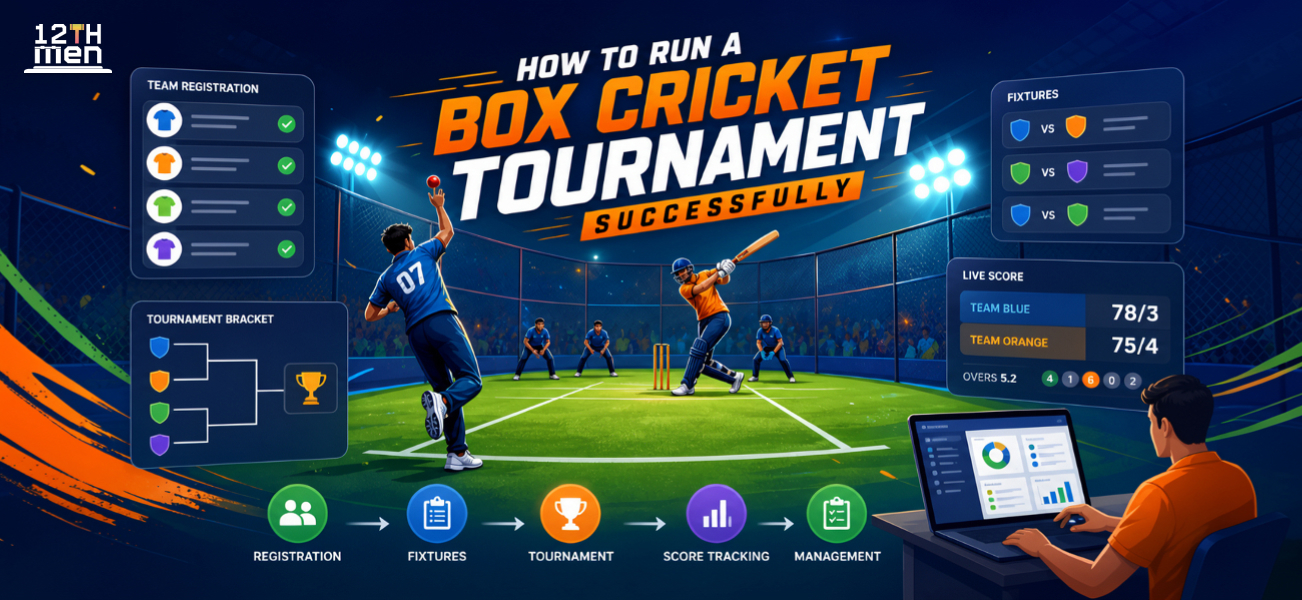
Planning a box cricket tournament without a proper system leads to avoidable chaos: late team entries, unclear fixtures, scoring mistakes, payment confusion, and players asking the same questions every ten minutes. A box cricket tournament app helps organizers stay on top of all of this from one place.
This guide breaks down how to plan, manage, and run a successful box cricket tournament step by step, covering everything from tournament format and rule-setting to scheduling, scoring, and player management.
Quick Summary / Key Takeaways
- Start planning at least 2–3 weeks before match day.
- Keep rules short, clear, and shared with every captain.
- Confirm teams only after payment or deposit.
- Use digital scoring to avoid disputes.
- Plan buffers between matches because box cricket games rarely run exactly on time.
- A box cricket tournament app for organizers helps manage teams, fixtures, scores, points tables, and updates from one place.
- Manual management works for very small events, but it becomes messy once you cross 8–10 teams.
Why Box Cricket Tournaments Need Careful Planning
Box cricket looks simple from the outside. Small ground, short matches, fewer players, quick overs. But anyone who has organized a box cricket event knows things can go wrong fast.?
Even small box cricket tournaments require solid groundwork to run smoothly.
Teams arrive late. One player argues about wide-ball rules. A captain asks why their net run rate is lower. The scorer misses a wicket. Rain delays one match and suddenly the whole schedule slips by an hour.
Successful box cricket tournaments are rarely about just booking turf and collecting entry fees. The real work is in planning the details before the first ball is bowled, from clarifying rules to managing team registrations and live scoring.
For local clubs, colleges, societies, corporates, and sports venues, box cricket has become one of the most popular formats to host. It is fast, social, and highly engaging. But without structure, even a well-intentioned box cricket tournament can quickly feel disorganized.
Set the Tournament Format First

Before announcing your box cricket tournament, lock in the format. The tournament structure affects everything else: entry fee, prize money, schedule, number of grounds required, umpire cost, and match duration.
One of the most common mistakes in box cricket tournament organization is opening team registrations before finalizing the format. This creates confusion later when organizers keep changing overs, groups, or knockout rules after teams have already paid.
Common Box Cricket Tournament Formats
| Format | Best For | Pros | Watch Out For |
|---|---|---|---|
| Knockout | One-day events with many teams | Fast and simple | Teams may feel one match is too little |
| League + Knockout | 8–16 teams | Fair and engaging | Needs better scheduling |
| Round Robin | Small group events | Every team plays more matches | Can take longer |
| Corporate Cup | Office teams | Great for engagement | Player availability can be tricky |
| Turf League | Weekly local club events | Builds repeat participation | Needs steady admin work |
For most box cricket tournament organizers, a league plus knockout format works best. Teams get enough game time, and the final stages build the right competitive pressure.
For an 8-team box cricket tournament, two groups of four works well. Each team plays three league matches, then the top two from each group advance to the semi-finals. This format is simple, fair, and easy to communicate to all captains.
Fix Rules Before You Announce the Event
Box cricket rules vary widely from venue to venue. Some tournaments count wall catches. Some allow underarm bowling. Some treat hitting the back net as a boundary. Others have strict bowler over limits. Clarifying these rules before registration prevents disputes on match day.
Never assume everyone knows your version of the rules.
Share a one-page box cricket rules sheet with captains before registration closes. Keep it concise. If the rules are too long, players will not read them.
Rules You Should Clarify Early
| Rule Area | What to Define |
|---|---|
| Team size | Playing members, substitutes, squad limit |
| Overs | Total overs per innings and bowler limits |
| Scoring areas | Runs for side nets, back net, roof, direct hits |
| Dismissals | Caught off net, run out, hit wicket, obstruction |
| No-ball and wide | Height, line, extra run, free hit or not |
| Tie-breakers | Super over, wickets lost, boundary count |
| Points table | Points, net run rate, head-to-head rules |
| Late arrival | Grace time and walkover policy |
One thing that often gets overlooked is the late arrival rule. If the first match starts 20 minutes late, the full day suffers. Set a clear policy: for example, a 10-minute grace period, then overs reduced or walkover given.
Players may complain on the day, but they usually accept rules that were shared in advance.
Use a Box Cricket Tournament App to Reduce Match-Day Confusion

A box cricket tournament app becomes essential once you have more than a handful of teams. It keeps the entire event organized and reduces the need for constant manual updates across WhatsApp groups and spreadsheets.
Instead of tracking scores on paper, sharing fixtures over WhatsApp, and updating points tables in a spreadsheet, organizers can manage everything through a single box cricket scoring and tournament app.
A good box cricket scoring and tournament app should help with:
- Team registration
- Player lists
- Fixtures and match timings
- Live scoring
- Points table updates
- Net run rate calculation
- Match results
- Player stats
- Captain notifications
Many organizers run small events with paper and spreadsheets and it works fine for very small groups. The problem starts when participants ask for live scores, revised fixtures, net run rate clarification, or individual player stats.
That is where digital tools save time and reduce arguments.
Box Cricket Tournament App vs Manual Management
Manual management feels easy at the start. One notebook, one scorer, one WhatsApp group. For four teams, it may be enough.
Once the tournament grows, manual tracking becomes risky. A single scoring error can affect qualification. A missed fixture update can make a team arrive late. A wrong points table can lead to heated arguments near the semi-finals.
Manual vs App-Based Tournament Management
| Area | Manual Management | App-Based Management |
|---|---|---|
| Fixtures | Shared through messages or sheets | Published in one place |
| Scoring | Paper or spreadsheet | Ball-by-ball digital scoring |
| Points table | Updated by hand | Updated automatically |
| Player stats | Hard to track | Easy to view |
| Disputes | More likely | Lower, because records are clear |
| Time spent by organizer | High during match day | Lower once setup is done |
| Best suited for | 4–6 casual teams | 8+ teams, clubs, venues, corporates |
This is the real difference in box cricket tournament app vs manual management. Manual methods depend heavily on one or two people staying alert all day. An app gives the event a cleaner structure.
Create a Realistic Schedule
Most tournaments fail on timing before they fail anywhere else.
Organizers often calculate match duration too tightly. A 6-over innings may look like 20 minutes on paper, but real matches include team changeovers, umpire discussions, toss, drinks, scoring checks, and the occasional ball search.
For a 6-over-per-side match, keep at least 35–40 minutes per match. If the venue has one turf and you are hosting 12 teams, build buffers.
Sample One-Day Schedule for 8 Teams
| Time | Activity |
|---|---|
| 7:30 AM | Team reporting and kit check |
| 8:00 AM | Opening match |
| 8:40 AM | Match 2 |
| 9:20 AM | Match 3 |
| 10:00 AM | Match 4 |
| 10:40 AM | Short buffer |
| 11:00 AM | League matches continue |
| 2:30 PM | Semi-final 1 |
| 3:15 PM | Semi-final 2 |
| 4:15 PM | Final |
| 5:00 PM | Prize distribution |
Keep at least one buffer slot before knockouts. That one slot can save the day.
A small tip from experience: do not put the most popular team or host team in the first match unless they are known to be punctual. Delayed first matches create a bad mood quickly.
Get Registrations and Payments Under Control
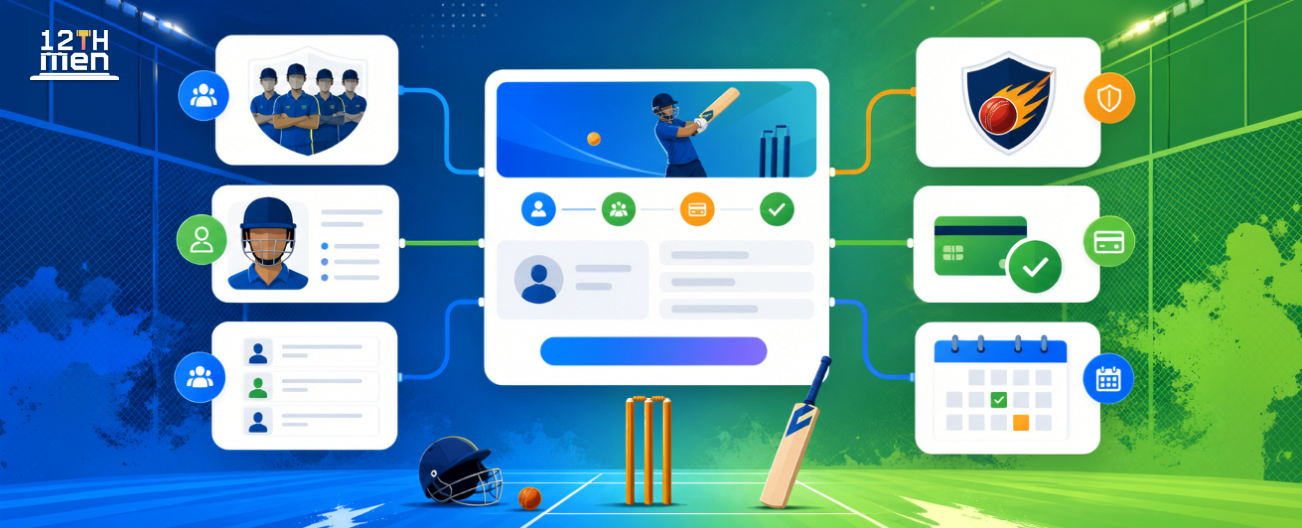
Team registration should be simple, but not casual. Ask for all required details in one go.
You need:
- Team name
- Captain name and phone number
- Squad list
- Logo or jersey color, if needed
- Payment status
- Preferred time slot, if you are allowing requests
- Any player eligibility details
Confirm participation only after receiving the entry fee or deposit. Many businesses run into this issue: teams say “confirmed” on chat, then disappear when payment is due. That leaves gaps in fixtures and prize planning.
For local clubs, a cricket tournament app for local clubs can make registration cleaner because teams can submit details in a set format. Organizers are not stuck searching through long message threads.
Appoint the Right People for Match Day
A tournament is only as good as the people running it on the ground.
You need more than an umpire. You need someone handling the schedule, someone managing scoring, someone checking teams in, and someone available for quick decisions.
For a small event, one person may handle two roles. For a paid tournament, try not to overload your scorer or umpire.
Key Roles for a Smooth Tournament
| Role | Main Responsibility |
|---|---|
| Tournament head | Final decisions and dispute handling |
| Umpire | On-field calls |
| Scorer | Ball-by-ball scoring |
| Fixture coordinator | Team reporting and match flow |
| Ground manager | Turf, balls, lights, equipment |
| Media person | Photos, videos, social updates |
| Prize desk | Certificates, trophies, payments |
One common mistake is asking the scorer to also handle WhatsApp updates, team calls, and player stats simultaneously. Scoring a box cricket match requires focus. Keep that role separate and give the scorer the space to do it well.
Communicate Like a Professional Organizer
Clear, consistent communication is one of the most underrated parts of running a box cricket tournament. Getting this right prevents half the problems before they even appear.
Create one captain-only communication group for your box cricket tournament. Avoid adding every player to the main organizer group. Too many voices make decisions harder and create unnecessary noise.
Share these items before tournament day:
- Final fixtures
- Reporting time
- Rules sheet
- Venue location
- Parking instructions
- Payment confirmation
- Contact person
- What teams need to carry
On match day, share short updates:
- “Match 3 starts at 9:20 AM.”
- “Team Strikers, please report near the scoring desk.”
- “Semi-final fixtures will be posted after Match 12.”
Keep messages practical. Long announcements get ignored.
Handle Scoring and Points Tables Carefully

Scoring disputes can damage the mood of an otherwise good tournament.
Use one official scorer for the entire box cricket tournament. Do not allow teams to maintain separate “official” scores. Captains can check the score after every over, but the tournament scorer’s record should be final unless there is a clear mistake.
A box cricket scoring and tournament app helps here because every ball is recorded digitally. Runs, wickets, extras, strike rotation, and over details are all visible in real time. If someone questions the score, you can pull up the match record instantly instead of relying on memory.
We’ve noticed that players accept decisions faster when records are visible. It removes the feeling that something was changed quietly.
Think About Player Experience
Organizers often focus entirely on fixtures and prizes, but player experience is what determines whether teams come back for the next box cricket tournament.
Small touches can change how teams remember the event:
- Clear sign-in desk
- Drinking water near the turf
- Proper match balls
- Visible score display
- Good lighting
- Clean waiting area
- Quick photo moments after each match
- Fair umpiring
- On-time prize distribution
You do not need to spend heavily. You need to show that the event is cared for.
If teams feel respected, they come back for the next tournament.
Plan for Disputes Before They Happen
Every box cricket tournament organizer hopes for a smooth, dispute-free event. Competitive cricket, however, can get heated.
Decide who holds final authority before match day begins. Captains should know that only the team captain can discuss disputes with the umpire or tournament head. This prevents five players surrounding one official after a close call.
Set clear policies for:
- Player eligibility
- Late arrival
- Abusive language
- Umpire decisions
- Walkovers
- Injuries
- Rain or light failure
- Tie matches
Do not debate rules on the field during a match. If a rule was shared with all teams beforehand, apply it calmly and move on.
Use Stats and Content to Build Future Participation
A good tournament should help you promote the next one.
Capture match photos, short clips, best innings, top wickets, and final moments. Share player stats after the event. People love seeing their names on leaderboards.
For example, after a 10-team corporate box cricket event, one organizer we worked with shared:
- Top run scorers
- Best strike rates
- Most wickets
- Player of the tournament
- Match-by-match results
- Team photos
Registrations for the next box cricket event become easier when teams have already seen the quality and organization of the previous one.
This is where a box cricket tournament app for organizers goes beyond just scoring. It gives you structured results and player stats that can be shared on social media, used for future marketing, and sent directly to teams.
Budget the Tournament Properly
Prize money is only one part of a box cricket tournament budget. Many first-time organizers forget smaller costs and end up losing their margin by event day.
Budget for:
- Turf booking
- Umpires
- Scorer
- Match balls
- Trophies and medals
- Water
- First aid
- Posters or digital creatives
- App or scoring tool
- Photography or reels
- Staff food
- Emergency buffer
Always keep a budget buffer of at least 10–15%. Something always costs more than expected.
If you are running a sponsored event, confirm sponsor deliverables clearly. Logo placement, banners, social media mentions, and prize branding should be agreed before tournament day.
Final Word: Run a Better Event With a Box Cricket Tournament App
Running a box cricket tournament successfully comes down to preparation, clear rules, strong communication, fair scoring, and solid match-day control. These are not complicated steps, but they require attention before the first match begins.
You can manage a very small friendly event with paper and WhatsApp. But for any serious box cricket tournament, a dedicated box cricket tournament app gives organizers far more control and delivers a noticeably better experience for players.
If you are planning your next box cricket event, The 12th Men can help you manage teams, fixtures, scoring, points tables, and tournament updates with less stress.
Ready to run your tournament the right way? Explore The 12th Men and give your players an event that feels organized from the first toss to the final trophy.
FAQ
Got Questions? We've Got Answers.
For most box cricket tournament organizers, league plus knockout is the best format. Teams get multiple matches, the points table adds excitement during the league stage, and the knockout rounds keep things competitive. For very short one-day events with limited teams, pure knockout can also work.
A box cricket tournament app helps manage fixtures, live scoring, points tables, player stats, and match updates all in one place. It eliminates manual errors, saves valuable time on match day, and keeps all participants informed without constant messaging.
Yes, for very small events with 4–6 casual teams. Once you have more teams, sponsors, prizes, or live scoring expectations, app-based management is safer.
Your box cricket rules should clearly cover overs per innings, team size, scoring zones, dismissal types, wides, no-balls, tie-breakers, late arrival policies, player eligibility criteria, and points table calculation method.
Yes. A cricket tournament app is highly useful for local clubs that run regular box cricket events, weekend leagues, or inter-society tournaments. It keeps records clean, automates the points table, and makes managing repeat events significantly easier.
Related Articles

Guide
Badminton Tournament Bracket Generator: Easy Guide
Learn how a badminton tournament bracket generator supports singles and doubles events, fair seeding, court scheduling, live result updates, and smoother competition management for busy clubs. It also highlights practical steps, common pitfalls.
Read More >Yug Shah|Sep 21, 2026|
Guide
Real-Time Tournament Notifications: Organizer Guide
See how instant alerts reduce confusion on tournament day. This guide covers fixture reminders, venue updates, score notifications, delay announcements, and practical communication workflows for organizers. It also highlights practical steps.
Read More >Yug Shah|Sep 17, 2026|