Manual vs Digital Scoring: Why You Need a Scoring App
Written by Yug Shah, Sports Enthusiast.
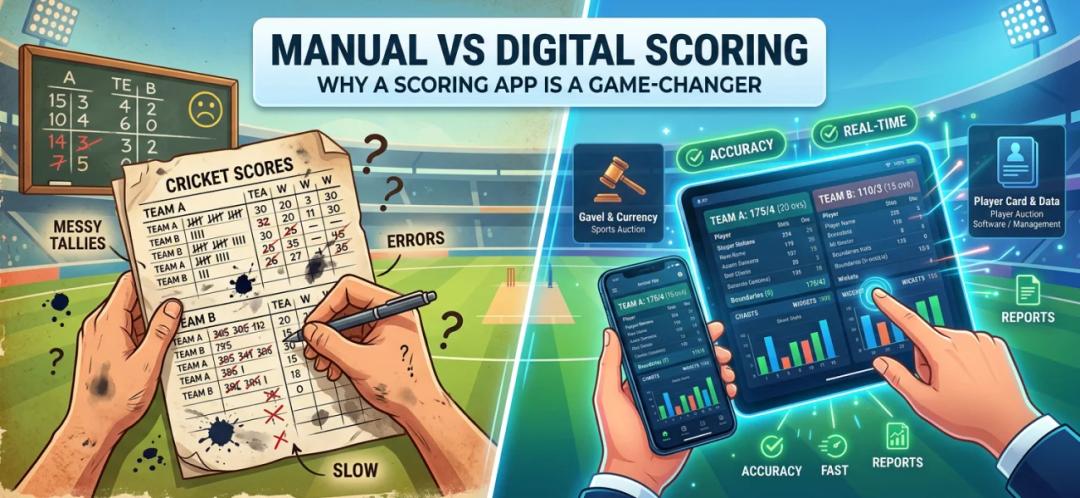
Running a tournament sounds simple on paper. A few teams, a schedule, someone keeping score. Then the first match starts. Numbers get mixed up. Players question stats. The scoreboard does not match what actually happened.
If you are an organizer, you have probably seen this before.
So the real question is not whether scoring matters. It is how you handle it.
This guide breaks down manual scoring vs a digital scoring system, why a cricket scoring app is no longer optional, and how it connects with a complete sports event management solution, including tools like a sports auction platform and player auction software.
What Is Manual Scoring in Cricket Tournaments?
Manual scoring is exactly what it sounds like. A scorer records runs, wickets, overs, and player stats using pen and paper or spreadsheets.
It has been used for decades. Many local tournaments still depend on it.
Common Manual Scoring Methods
- Paper scorebooks
- Whiteboard score tracking
- Excel sheets handled by volunteers
- Verbal updates during matches
At first, this feels manageable. Then the cracks start to show.
What Is a Digital Scoring System?
A digital scoring system uses a cricket scoring app to record and update match data in real time.
Instead of writing everything down, scorers enter ball-by-ball details into the app. The system instantly updates:
- Live scorecards
- Player statistics
- Leaderboards
- Match summaries
And the biggest difference?
Everyone can see the same data at the same time.
What a Digital Scoring Workflow Looks Like
The difference between paper and an app becomes clear when you follow an entire match. Use the after-auction tournament guide when teams already exist in The 12th Men, then open the fixture in the free scoring app.
Cricket: from match setup to final scorecard
1. Create or open the match
Select the fixture or create a casual match, add both teams, and confirm the format and overs. On paper, the scorer usually writes team names and playing elevens again. In the app, the match should begin with the correct squads already attached.
2. Record the toss
Choose the toss winner and whether that team will bat or bowl. Confirm the roles on screen before continuing. This one check prevents the scorecard from assigning the first innings to the wrong team.
3. Select the opening batters and bowler
Choose both openers, mark the striker and non-striker, and select the first bowler. Confirm the names with the captains. A paper scorebook can hide a misspelled or duplicate name until statistics are prepared later; a digital record makes the selected player part of every delivery.
4. Score every ball
Enter a dot ball or 1, 2, 3, 4 or 6 runs after each delivery. Use the correct extra option for a wide, no-ball, bye or leg bye. Do not enter a combined total as batter runs because that changes the batter's score and bowler's figures.
At the end of each over, compare the app total with the umpire or second scorer. A short over check is easier than reconstructing a disagreement after several overs.
5. Record wickets by type
Open the wicket action, select the dismissal type shown in the app, confirm the batter, and add the fielder or other requested detail. For a run-out, check which batter was dismissed before saving because the players may have crossed.
6. Undo an incorrect event
Use Undo immediately when the last run, extra or wicket was entered incorrectly. Re-enter the delivery and confirm the corrected score before the next ball. Paper correction marks can be hard to interpret later; the app should leave the active score in one clear state.
7. End the innings and start the chase
Review the total when the side is all out or the overs are complete. Close the innings, confirm the target, and choose the next opening batters and bowler. Do not score the chase until the second-innings roles are correct.
8. Complete and share the match
Confirm the result and share the scorecard link. If the event is broadcasting, use the YouTube Live overlay guide to place the live score on the stream while the scorer continues recording the match.

Badminton and pickleball: rally scoring in the app
1. Choose the match format
Add the players or doubles pairs, then confirm the number of games, game target and the event's rally-scoring rules. The app records the points, while the official still applies the competition's rules.
2. Enter the winner of every rally
Tap the side that won the rally and compare the displayed total with the referee's call before the next serve. Entering points one at a time preserves the sequence and makes the latest mistake easy to find.
3. Check game point and match point
As a side approaches game point, confirm the score aloud. When the final game can decide the match, also verify the overall game count. The scorer must keep the current rally score separate from the number of games won.
4. Undo the latest wrong point
If the wrong side receives a point, use Undo immediately, enter the rally correctly and confirm the updated score. Waiting several rallies turns a simple correction into a memory test.
5. Close each game and complete the match
Review the final game score before starting the next one. After the deciding game, confirm every game score and the match winner, then complete and share the result.
A scoring app does more than reproduce a scorebook on a phone. It gives the scorer a defined sequence, makes the latest error correctable, and sends the confirmed result to the tournament record without another round of data entry.
Why Organizers Are Moving to Cricket Scoring Apps
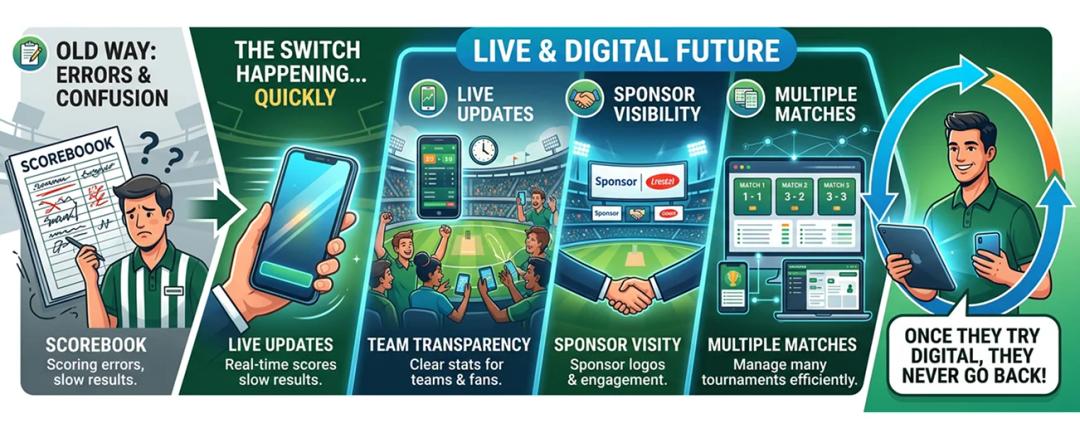
This shift is already happening.
Not slowly. Quickly.
Reasons Organizers Switch
- Too many scoring errors
- Pressure from teams for transparency
- Need for live updates
- Sponsor expectations
- Managing multiple matches
Once an organizer tries a digital scoring system for one tournament, they rarely go back.
How a Cricket Scoring App Fits Into a Larger System
A scoring app is just one part of the puzzle.
Modern tournaments need more than scoring.
They need a complete sports event management solution.
What Does That Include?
- Match scheduling
- Team registration
- Player stats tracking
- Payment management
- Communication tools
And one more important feature.
Role of a Sports Auction Platform in Modern Tournaments

Player auctions are becoming popular in local and semi-professional leagues.
This is where a sports auction platform or sports auction app comes in.
What It Does
- Organizes live player bidding
- Tracks team budgets
- Manages player allocations
- Keeps auction data transparent
When combined with scoring:
- Player performance connects with auction value
- Teams make better decisions
- Tournaments feel more professional
Why You Need Player Auction Software Along With Scoring
Think about this.
If you are already running an auction-based league, manual scoring creates a disconnect.
- Auction data is digital
- Match data is manual
That gap causes problems.
With player auction software integrated into your system:
- Auction results link to player stats
- Performance affects future bids
- Everything stays in one place
Challenges Organizers Face Without Digital Tools
Let us be honest. Running tournaments is not easy.
Common Problems
- Last-minute player changes
- Confusion in match schedules
- Score disputes
- Missing records
- No centralized system
These issues multiply as the tournament grows.
Why The 12th Men Is the Best Choice for Organizers
There are many tools out there. But very few are built specifically for organizers.
The 12th Men stands out because it combines everything in one platform.
What Makes It Different
- Complete cricket tournament management system
- Advanced cricket scoring app with live updates
- Built-in sports auction platform
- Easy-to-use dashboard
- Designed for both local and large tournaments
Using The 12th Men can help organizers:
- Keep scoring consistent
- Run auctions through a structured workflow
- Store player data in one place
- Publish updates for the audience
That can reduce time spent correcting avoidable issues and leave more time for tournament planning.
How to Choose the Right Cricket Scoring App
Not every app will suit your needs.
Look for These Features
- Ball-by-ball scoring
- Live score sharing
- Player statistics tracking
- Integration with auction tools
- Simple interface for scorers
- Reliable performance during matches
Quick Comparison Table
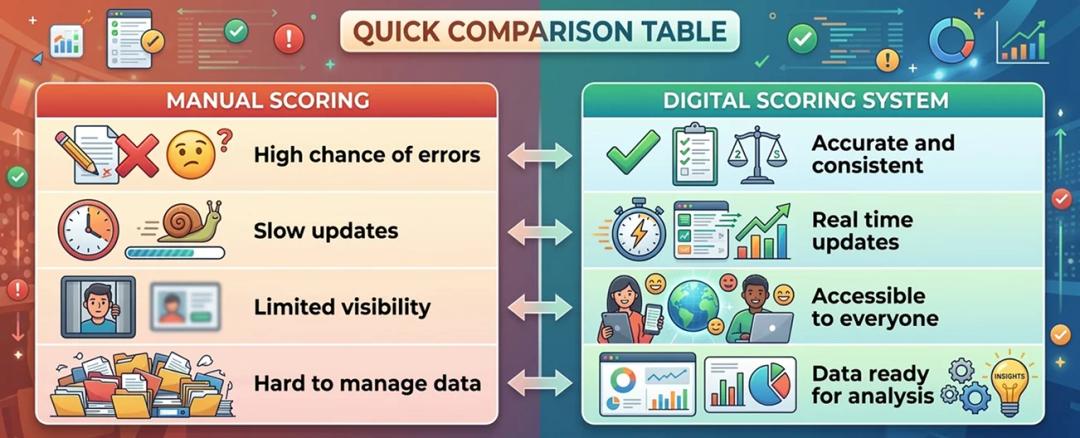
| Factor | Manual Scoring | Digital Scoring System |
|---|---|---|
| Accuracy | High chance of errors | Accurate and consistent |
| Speed | Slow updates | Real-time updates |
| Visibility | Limited visibility | Accessible to everyone |
| Data | Hard to manage | Ready for analysis |
Final Thoughts
Manual scoring had its place.
But tournaments today are faster, bigger, and more demanding.
Organizers need tools that reduce confusion, save time, and build trust.
A cricket scoring app does exactly that.
And when combined with a sports auction platform, player auction software, and a complete sports event management solution, it changes how tournaments are run.
The difference is not small. It is clear from the very first match.
If you are serious about running better tournaments, the shift to digital is not optional anymore. It is the next step.
A connected match scheduling and scoring system keeps fixtures, scorecards, and standings in one workflow.
Related Reading
- How Live Scoring Features Improve Tournament Experience
- How Live Scoring Features Improve Tournament Experience
- Why Every School Tournament Needs a Scoring App
Sources and methodology
Examples involving team sizes, scores, schedules, budgets, or workflows are illustrative planning scenarios unless a source is cited. Organizers should also check their governing body's current rules and local requirements.
Continue with The 12th Men
Read next: Cricket Scoring App Guide for Local Tournaments (2026)
Need help setting up your event? Scoring and streaming set up for your event: live scorecards, points table, NRR and YouTube overlays.

Related Articles

Guide
Cricket Player Registration Software: What to Look For
Use a practical buyer checklist for cricket player registration. Compare public links, OTP sign-up, reusable profiles, multi-player households, bulk imports, payment tracking, approvals and the handoff into auctions or tournaments.
Read More > Yug Shah|Nov 3, 2026|

Guide
Remote Cricket Auctions: Online Bidding for Team Owners
Prepare team owners to bid from different locations without losing control of the room. Cover access, on-block checks, bid timers, purse visibility, decision roles, device testing and backup communication before auction night.
Read More >Yug Shah|Oct 15, 2026|