Cricket Auction App Comparison: What to Check First

Table of contents
Every auction app looks good in its own demo. The bidding is smooth, the screen is bright and nothing goes wrong. Your auction will not be that tidy.
A fair cricket auction app comparison runs the same sample auction on every platform and scores each one on the same weighted criteria. Check bidding controls and purse rules first, then squad limits, displays, exports, total cost and support.
Quick Summary: Key Takeaways
- Write your criteria and weights before you look at any app.
- Run one scripted sample auction on every platform, with the same teams and players.
- Test what happens when something goes wrong, not just when it goes right.
- Compare total cost for your own team and player count, from each vendor's own pricing page.
- Ask three or four people to test, not just the organizer.
Why Do Most App Comparisons Go Wrong?
Because they compare feature lists. Two apps can both claim "budget tracking" and behave very differently when a team tries to overspend.
Software selection research points the same way. A 2009 review by Jadhav and Sonar in Information and Software Technology looked at published methods for evaluating software packages. It found that the analytic hierarchy process, which weights criteria through pairwise comparisons, was widely used, and that there was no common list of generic evaluation criteria.
For a cricket league, that suggests a simple approach. Write your own criteria, weight them and test against them.
Which Criteria Should You Compare First?
Start with what can break an auction, then move to what makes it pleasant.
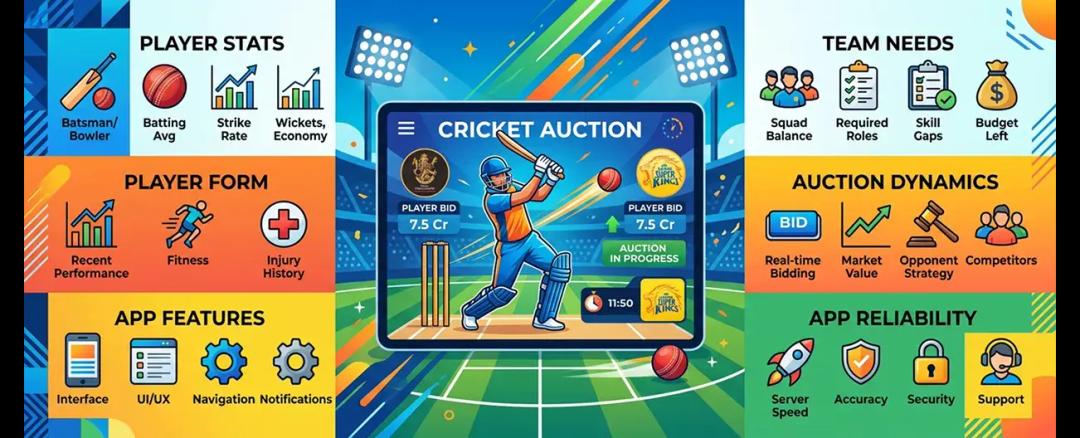
| Criterion | What to test | Why it comes first or later |
|---|---|---|
| Bidding controls | Bid increments, sold and unsold calls, fixing a bid placed for the wrong team | Errors here change squads |
| Purse rules | Whether a team is stopped from bidding beyond what it can afford | Overspending breaks the rules on the night |
| Squad and category limits | Whether minimums and maximums are enforced while bidding | Limits checked afterward cause disputes |
| Player data | Registration, import, photos, duplicates | A messy list slows every lot |
| Display and remote bidding | Big screen view, owner phones, any live stream | Owners need to see the same numbers |
| Exports and handoff | Team sheets, unsold lists, moving squads into scoring | Saves retyping after the auction |
| Total cost | Price for your team and player count, including tax | Free tiers and per team prices differ |
| Support | Response on the day, setup help | Matters most when something fails |
If you have not settled your purse and bid rules yet, do that first. Cricket Auction Rules: How to Set Base Price, Purse and Bids walks through them.
How Do You Build a Sample Auction to Test Each App?
Use the same small auction on every platform. That is the only way to compare cricket auction apps fairly.
This sample is hypothetical. Set up 4 teams, 20 players in two categories and equal purses. Then work through a fixed script of events.
| Step | Test event | What a good result looks like |
|---|---|---|
| 1 | Import or register all 20 players | No duplicates, photos and roles show correctly |
| 2 | Sell a player at base price | Purse and squad count update everywhere at once |
| 3 | A team bids more than its purse allows | The bid is blocked or flagged |
| 4 | A team at its category maximum bids again | The bid is blocked or flagged |
| 5 | A player gets no bids | Marked unsold and available for a later round |
| 6 | The operator enters a bid for the wrong team | The bid can be moved to the right team and set to the correct amount, without restarting the player |
| 7 | A remote owner places a bid from a phone | It appears on the main screen within a second or two |
| 8 | Finish and export | Team sheets and the unsold list download cleanly |
| 9 | Move squads into scoring | Players appear on the right teams without retyping |
Write down what happened at each step, with a screenshot if you can. Pay most attention to steps 3, 4 and 6, because they test rules, not appearance.
If you need a rule for step 5, see Sold, Unsold and Re-Auction Rules for Cricket Leagues. For step 7, Remote Cricket Auctions: Online Bidding for Team Owners covers the owner side.

How Many People Should Test Each App?
More than one, but you do not need a crowd.

In a 1993 paper, Nielsen and Landauer modelled how many usability problems are found as more users or evaluators test a system, across 11 studies. For a "medium" example, they estimated that 16 evaluations would be worth their cost, with the best benefit to cost ratio at four.
For a local league, that seems to support a small, varied panel. Try the organizer, the person who will operate bids, one team owner and one remote owner. Each uses the app differently, so each may notice different problems.
How Do You Score the Apps Fairly?
Use an auction app evaluation checklist with weights agreed in advance. Here is a hypothetical example comparing two unnamed apps, each scored from 1 to 5.
| Criterion | Weight | App X score | App Y score |
|---|---|---|---|
| Bidding controls and purse rules | 25 | 5 | 4 |
| Squad and category limits | 15 | 3 | 5 |
| Player data | 10 | 4 | 3 |
| Display and remote bidding | 15 | 4 | 3 |
| Exports and scoring handoff | 15 | 2 | 4 |
| Total cost for your size | 10 | 4 | 3 |
| Support | 10 | 3 | 4 |
| Total | 100 | 3.70 | 3.80 |
Here is the working. For App X: (25 × 5) + (15 × 3) + (10 × 4) + (15 × 4) + (15 × 2) + (10 × 4) + (10 × 3) = 125 + 45 + 40 + 60 + 30 + 40 + 30 = 370, and 370 ÷ 100 = 3.70.
For App Y: (25 × 4) + (15 × 5) + (10 × 3) + (15 × 3) + (15 × 4) + (10 × 3) + (10 × 4) = 100 + 75 + 30 + 45 + 60 + 30 + 40 = 380, and 380 ÷ 100 = 3.80.
App X had the better bidding screen and still came second. That is the point of weighting. It stops the most impressive demo from winning by default.
Which Red Flags Should End a Trial Early?
Some results matter more than any score. If one of these happens in your sample auction, it is reasonable to stop testing that app.
- A team can bid beyond its purse and the app does not stop or flag it
- A sold player cannot be corrected without starting the lot again
- The main screen and owner phones show different purse figures
- Team sheets cannot be exported at the end
Each of these would cause a dispute on auction night. No amount of polish elsewhere makes up for it.

What Should You Ask Support Before You Choose?
Support is hard to judge from a website, so ask directly and note how long each answer takes.
- Who can you contact on auction day, and how?
- Can someone help with setup or a test run before the event?
- What happens to your auction data afterward, and can you download it?
- How are changes to rules or teams handled after setup?
The speed and clarity of the replies are part of the test.
What Should You Ask About Cost?
Ask for the total you will pay for your actual auction, not the headline rate. A cricket bidding platform comparison should include:
- The team and player count where any free tier ends
- Whether a fee applies to every team or only to teams above a limit
- Whether tax is included or added at checkout
- Whether it is a one time payment or a subscription
- What happens if you add teams after setup
Take every number from the vendor's own pricing page or a written quote, and note the date you checked. Prices change, and a screenshot settles questions later. For The 12th Men, the current figures are on the pricing page.
Where Does The 12th Men Fit in the Comparison?
Put it through the same script as everything else. Here is what its feature pages say it does, so you know what to test.

The player auction platform describes a live bidding dashboard, automated budget rules, player categories and remote bidding from phones when it is turned on. It lists YouTube streaming with bid and team spend overlays, and team sheets in Excel or PDF with sold and unsold lists.
After the auction, the page says finalized rosters transfer into the scoring module with a single click. That covers step 9 of the sample script, and From Cricket Auction to Scorecard: Sync Squads Faster shows how it works. It also blocks a team from bidding once its category limit is full, which covers step 4. For step 6, there is no undo button, but the operator can move the bid to the right team and reduce it to the correct amount without restarting the player.

For a broader look at what local leagues need from an auction tool, see the Cricket Auction App Guide for Local Tournaments in 2026.

Run the Same Test on Every App
Back to the polished demo. The sample auction is where the differences show, especially when a team overspends or a bid needs correcting.
Bring your sample script to a walkthrough. Book a demo to run it with us, or Start free and test it yourself on The 12th Men.
Sources

Sports Enthusiast
Sports enthusiast and writer passionate about sports technology, tournament management, player auctions, and scoring solutions. Sharing insights, trends, and ideas that help organizers, players, and fans enhance their sporting experience.
FAQ
Got Questions? We've Got Answers.
Agree weighted criteria first, then run the same scripted sample auction on every app. Score each step and add the weighted totals.
For most leagues, it is how the app enforces purse and squad rules during bidding. Errors there change the squads, which is harder to fix than a display problem.
Use them to decide what to test, not as proof. Two apps can list the same feature and behave differently when a team tries to overspend.
About four is a sensible start. Nielsen and Landauer found the best benefit to cost ratio at four evaluations. Use the organizer, the bid operator and two team owners, including a remote bidder.
Related Articles
Cricket
Cricket Auction Day Run Sheet: Roles, Timing and Checks
A practical cricket auction day run sheet covering roles, timed bidding blocks, device and purse checks, contingency planning and final squad sign-off.
Read More >Yug Shah|Nov 20, 2026|
Cricket
Digital Cricket Scorebook: Ball Entry to Shareable Scorecard
A digital cricket scorebook guide for scorers: match setup, ball entry, extras, wickets, corrections and closing the innings into a shareable scorecard.
Read More >Yug Shah|Nov 13, 2026|