How to Organize a Cricket Auction Like IPL (Step-by-Step)
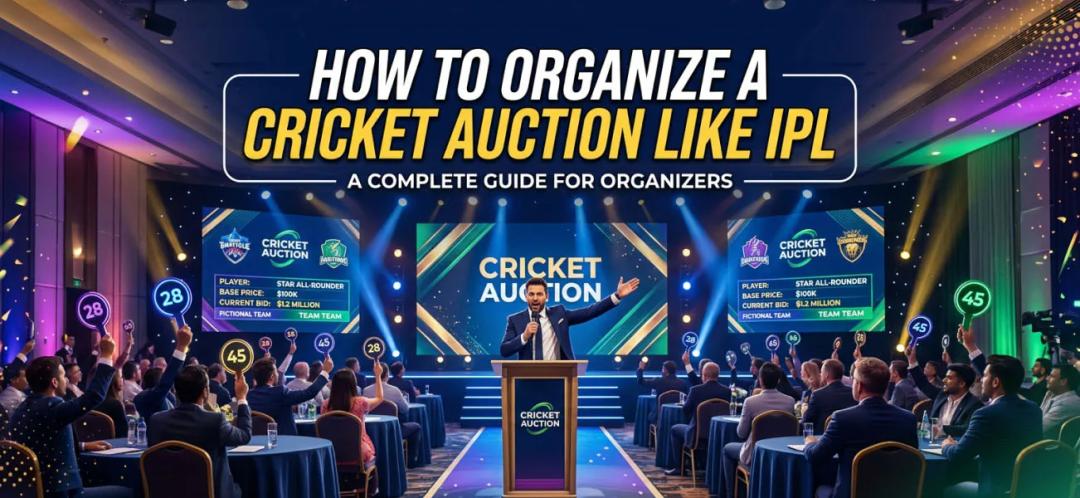
Cricket auctions are no longer limited to big leagues like the IPL. Local tournaments, corporate leagues, and college events are now adopting the same format. Why? Because auctions bring excitement, fairness, and strategy into team selection.
The right player auction software can keep bidding, budgets, and player records synchronized from the start.
If you are a cricket organizer wondering how to run an auction smoothly, this guide breaks it down step by step. From planning to execution, everything is covered in a way that actually works on the ground.
What Is a Cricket Auction and Why Does It Matter?
A cricket auction is a structured way to assign players to teams through bidding. Each team owner gets a fixed budget and competes to build the best squad.
Why do organizers prefer this format?
- It creates engagement before the tournament even starts
- Players feel valued and competitive
- Teams become balanced
- Sponsors and audiences get more involved
Tournaments that include auctions see higher participation and better retention year after year.
Step 1: Define Your Tournament Structure
Before you even think about bidding, you need clarity.
Ask yourself:
- How many teams will participate?
- What is the squad size per team?
- What is the total auction budget per team?
- Will there be player categories like batter, bowler, and all-rounder?
Organizers often skip this step and later struggle with confusion during the auction.
Pro tip: Keep things simple for your first auction. Complex rules sound good but are hard to manage in real time.
Step 2: Player Registration and Categorization
Now you need players.
Create a registration form that collects:
- Name and contact details
- Playing role
- Experience level
- Previous performance stats
Once you have the data, divide players into categories:
- Marquee players
- Category A
- Category B
- Emerging players
Step 3: Set Auction Rules Clearly
This step decides whether your auction runs smoothly or turns chaotic.
Define rules such as:
- Base price for each category
- Bid increment value
- Time limit per player
- Maximum squad size
- Rules for unsold players
Make sure every team owner understands these rules beforehand.
Step 4: Choose the Right Sports Auction Platform
Walk through the create-auction and live-auction guides before committing the league to a platform. Running an auction manually is risky. You might face issues like:
- Calculation errors
- Confusion in player allocation
- Time delays
- Disputes
This is where a sports auction platform becomes essential.
A good sports auction app or player auction software handles:
- Live bidding
- Budget tracking
- Player assignment
- Real-time updates
Switching from manual sheets to a sports auction platform can reduce repetitive admin and make bidding easier to follow.
Step 5: Prepare the Auction Day Setup
Auction day is where everything comes together.
Here's what you need:
- A laptop or tablet with your sports auction app
- A stable internet connection
- A display screen or projector
- An auctioneer or host
- A technical support team
Optional but helpful:
- Player profiles displayed on screen
- A sound system for announcements

Step 6: Conduct the Live Auction
Now comes the exciting part. Here's how it works:
- The auctioneer calls a player
- The base price is announced
- Team owners start bidding
- The highest bidder wins
- The player is assigned to the team
With player auction software, this process becomes structured and fast.
Auctions without software often face delays because calculations are done manually.
Step 7: Handle Unsold Players Smartly
Not every player gets picked in the first round.
You can:
- Reintroduce them at a lower base price
- Conduct a separate mini-auction
- Allow direct purchases
Giving players a second chance improves participation and morale.
Step 8: Finalize Teams After the Auction
Once the auction ends:
- Share final team lists
- Confirm player assignments
- Collect confirmations from team owners
With a sports event management solution, this step is automated.
No spreadsheets. No confusion.
Step 9: Start the Tournament With Cricket Tournament Management Tools
After the auction, your focus shifts to matches.
This is where cricket tournament management tools help:
- Schedule matches
- Track results
- Manage the points table
- Update standings
With The 12th Men, everything connects. Auction data flows directly into match management.
Step 10: Use Data to Improve Future Auctions
After your tournament ends, analyze:
- Player demand trends
- Budget utilization
- Team performance
These insights help you set better base prices, budgets, and categories next season.
Common Mistakes to Avoid
Even experienced organizers make these mistakes:
- Not setting clear rules
- Using manual bidding methods
- Ignoring player categorization
- Poor communication with team owners
- No backup plan for technical issues
Most problems happen because of poor planning, not execution.
Why The 12th Men Is the Best Choice
If you are serious about organizing a professional auction, The 12th Men stands out.
Here's why organizers prefer it.
1. Complete Sports Event Management Solution
You are not just getting a sports auction platform. You get a full sports event management solution that covers:
- Player registration
- Auction management
- Match scheduling
- Score tracking
2. Built-In Cricket Scoring App
No need for separate tools. The cricket scoring app lets you:
- Score matches live
- Track player performance
- Share updates instantly
3. Easy-to-Use Interface
Even non-technical organizers can run auctions without stress.
First-time users were able to conduct auctions without any training.
4. Real-Time Transparency
Every bid and every update is visible to all stakeholders.
No confusion. No disputes.
5. Custom Branding Options
You can run your tournament like a professional league with your own branding.
Final Thoughts
Organizing an IPL-style cricket auction is not as complicated as it looks. With the right steps and the right tools, you can create an experience that players and teams will remember.
A reliable sports auction platform changes everything. It removes stress, saves time, and brings professionalism to your tournament.
If you want a system that handles auctions, scoring, and full cricket tournament management, The 12th Men is built exactly for that.
Once organizers switch to a digital sports auction app , they never go back to manual methods.
Related Reading
- Cricket Auction Rules: How to Set Base Price, Purse and Bids
- Sold, Unsold and Re-Auction Rules for Cricket Leagues
- Player Categories in Cricket Auctions: Rules That Work
Ready to run your auction online? See pricing (free up to 20 teams) or Book a free demo.
Planning checklist
| Step | What to decide | Example |
|---|---|---|
| 1 | Player pool and eligibility | Registration deadline and verification rules |
| 2 | Purse and squad limits | Equal team budgets and minimum squad size |
| 3 | Bidding rules | Opening bid, increments, and tie handling |
| 4 | Auction operations | Nomination order, timers, and audit trail |
| 5 | Final checks | Sold/unsold list and squad validation |
For organizer tools, see player auction software and pricing.
Sources and methodology
Examples involving team sizes, scores, schedules, budgets, or workflows are illustrative planning scenarios unless a source is cited. Organizers should also check their governing body's current rules and local requirements.
Continue with The 12th Men
Read next: Cricket Auction Registration Form: Field-by-Field Guide
Need help setting up your event? Auction day set up for your event: categories, purses, rules, branded display and sponsor screens.

Related Articles
Guide
Cricket Player Registration Software: What to Look For
Use a practical buyer checklist for cricket player registration. Compare public links, OTP sign-up, reusable profiles, multi-player households, bulk imports, payment tracking, approvals and the handoff into auctions or tournaments.
Read More > Yug Shah|Nov 3, 2026|

Guide
Remote Cricket Auctions: Online Bidding for Team Owners
Prepare team owners to bid from different locations without losing control of the room. Cover access, on-block checks, bid timers, purse visibility, decision roles, device testing and backup communication before auction night.
Read More >Yug Shah|Oct 15, 2026|